
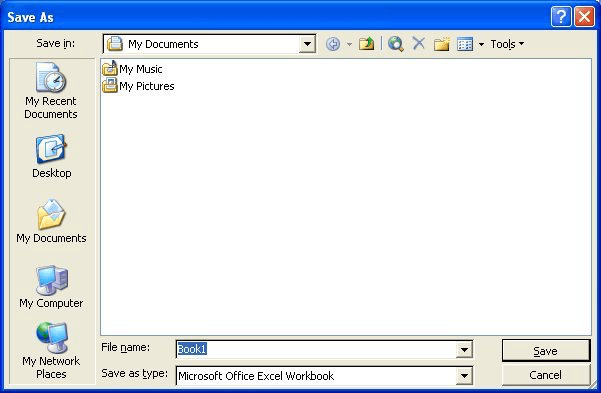
Figure 1. The Save As dialog box.
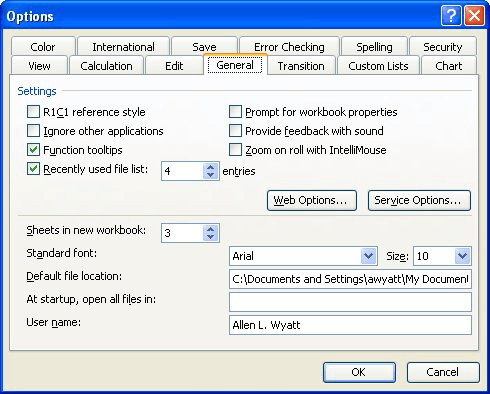
Figure 2. The General tab of the Options dialog box.
ExcelTips is your source for cost-effective Microsoft Excel training. This tip (2635) applies to Microsoft Excel 97, 2000, 2002, and 2003.

Dive Deep into Macros! Make Excel do things you thought were impossible, discover techniques you won't find anywhere else, and create powerful automated reports. Bill Jelen and Tracy Syrstad help you instantly visualize information to make it actionable. You’ll find step-by-step instructions, real-world case studies, and 50 workbooks packed with examples and solutions. Check out Microsoft Excel 2019 VBA and Macros today!
Each new Excel worksheet contains a page header, by default. Follow this tip to get rid of headers you don't need.
Discover MoreDo you want to change the headers and footers that appear on different pages of your printout? Here's how you can get ...
Discover MoreExcel allows you to add footers to the worksheets you create. If you decide you don't need a footer any more, here's how ...
Discover MoreFREE SERVICE: Get tips like this every week in ExcelTips, a free productivity newsletter. Enter your address and click "Subscribe."
2024-05-15 10:20:29
I use excel to prepare reports imported from Sage 50 Accounting. Every week I produce the same reports with the weekly information. Every week I do the same sorting, add the same formulas and then customize the report for visualization. Then I preview the report and customize the the printing options. I Increase the top margin then place the file name on the header. Weekly I have to open the settings and change the font type and font size before printing. Can I set the top margin to the desired height, the font type to the desired one and the font size to the desired one so the it will be there weekly
Got a version of Excel that uses the menu interface (Excel 97, Excel 2000, Excel 2002, or Excel 2003)? This site is for you! If you use a later version of Excel, visit our ExcelTips site focusing on the ribbon interface.
FREE SERVICE: Get tips like this every week in ExcelTips, a free productivity newsletter. Enter your address and click "Subscribe."
Copyright © 2026 Sharon Parq Associates, Inc.

Comments